Windows Voice Access & Dental4Windows

Windows Voice Access & Dental4Windows

Quote
Quote
Voice Access is a feature in Windows that enables everyone to control their PC and author text using only their voice. With the latest updates in Windows 11, Voice Access has become quite improved and usable. Windows Voice Access (Voice Typing) is compatible with any Dental4Windows notes editors such as Treatment Plan & Treatment Clinical notes, Charting Selected tooth notes, Cancellation & Standby List notes and Patient Letter content.
InfoTo discover more and learn how to setup voice access, visit Microsoft support site.
Notes
Note: This is not a replacement for a high quality / accuracy specialist AI Scribe, but rather as a FREE Windows feature and introduction to voice typing within our applications.  

Windows Voice Access / Voice Typing in Dental4Windows Notes Editor

  1. Select any notes editor in Dental4Windows:
    (Examples: Treatment Plan or Treatment Clinical Notes, Charting notes for a selected tooth, Cancellation or Standby List notes or Letters).
    1. Click on the Voice Typing icon
    2. Select the microphone button and commence speaking
    3. Click the microphone button to stop voice typing
    4. Check spelling and punctuation before clicking OK to save your notes
       

Windows Voice Access features

Turn on & control Voice Access activation

Available to use in all your windows applications 
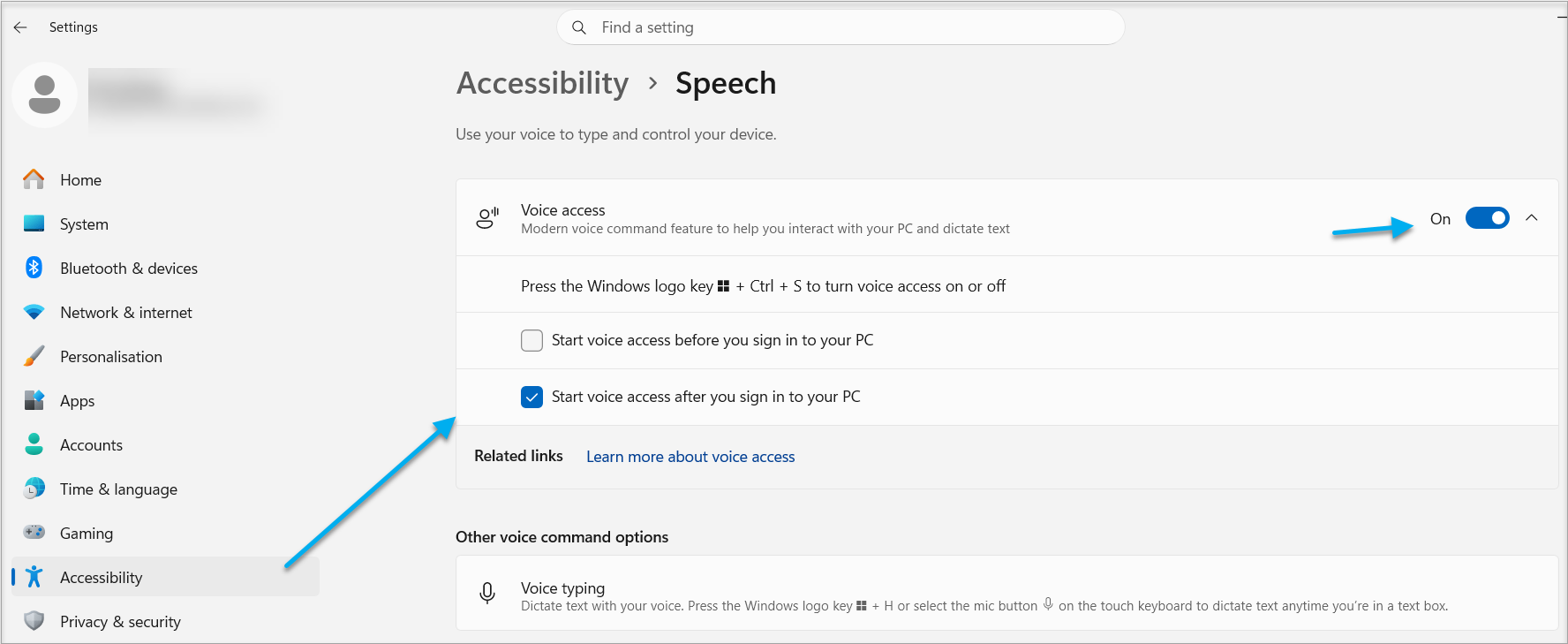
 

Once you turn on the above feature, the permanent bar at the top of your PC controls your Voice Access.. (Including when you are in Dental4Windows)

Add to Vocabulary
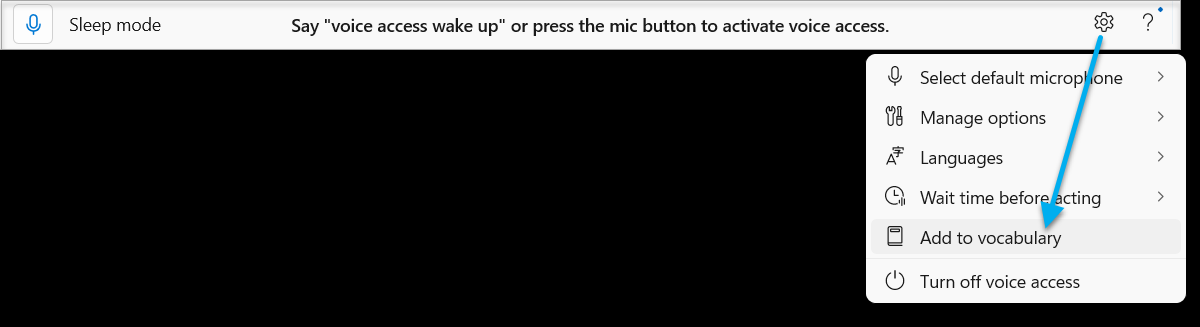
Example: 

Dictate Text with Voice Options


    • Related Articles

    • Working in the Treatment Page (Clinical features) in Dental4Web

      The Treatment page is used for both clinical & admin purposes. The purpose of this article is for the clinical side of treatment and includes instructions on Treatment plan transfer, Treatment completed, clinical notes (incl fast notes). Links to the ...
    • Windows Voice Access & Dental4Web

      Voice Access is a feature in Windows that enables anyone to control their PC and author text using only their voice. With the latest updates in Windows 11, the Voice Access has become quite improved and usable. Windows Voice Access (also known as ...
    • Working in the Treatment Tab (Clinical Features) in Dental4Windows

      The Treatment page is used for both clinical & admin purposes. The purpose of this article is for the clinical side of treatment and includes instructions on Treatment plan transfer, Treatment completed, clinical notes (incl fast notes). Links to the ...
    • A Kickstart to New Staff Training for New Clinical Staff in Dental4Windows

      Give your new clinical staff a head start with targeted Dental4Windows training. This collection includes links to our training tools, key information, and the interface features most commonly used in their role. These articles represent the ...
    • Dental API's & CipherStream

      Dental4Web API The Dental4Web API provides secure API access to dental practice management data. This API enables third-party applications to integrate with practice data while maintaining security and privacy controls. This API currently provides ...